
PS-575 Compatibility and Use
Printer Compatibility
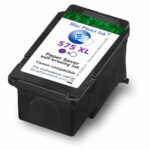
Paper Saver PS-575 XL ink cartridges are compatible with Canon PIXMA printers that use PG-575, or PG-575 XL cartridges. The compatible printers are sold outside North America. These are the model numbers for Canon printers that can use Paper Saver PS-575 XL cartridges: TS3550i, TS3551i, TS3750i, TS3751i, TS3752i, TR4750i, TR4751i, TR4755i, TR4756i.
Installation, Setup and Printing
To prevent clogging of the cartridge nozzles please print a page soon after you receive the cartridge and about once per week after that.
Remove the cartridge from the plastic clip, remove the blue tape, and insert the cartridge into the printer in the slot for the black cartridge. If you have removed a regular ink cartridge from the printer you can store it in the plastic clip.
To print with Paper Saver ink use the following settings. Consult the manual for your printer for more detail on how to change the settings. You may want to make them the default settings for your printer so you don’t have to change them every time you print with Paper Saver ink.
1. Select Plain Paper as the Media Type.
2. Check the box to select Grayscale Printing.
3. Increase the Ink Drying Wait Time by moving the slider one position to the right of center. Occasionally when not much ink remains in the cartridge and many pages are being printed, there will not be enough ink at the end of some pages. Increasing the Ink Drying Wait Time prevents this problem.
To print using the regular ink in the color cartridge, select Glossy Paper as the Media Type. You can print in color if the Grayscale box is unchecked, or in black and white (grayscale) if the Grayscale box is checked.
Recycling the cartridge
When all the ink in the cartridge has been used, dispose of it in accordance with local regulations, which in most cases means disposing of it properly as electronic waste.